 Block Suite
Wiki / Modules
Mod Injector
Add Block Suite moderation code to a Fabric mod, so moderation runs inside the player's own game - with the player's consent.
How it works
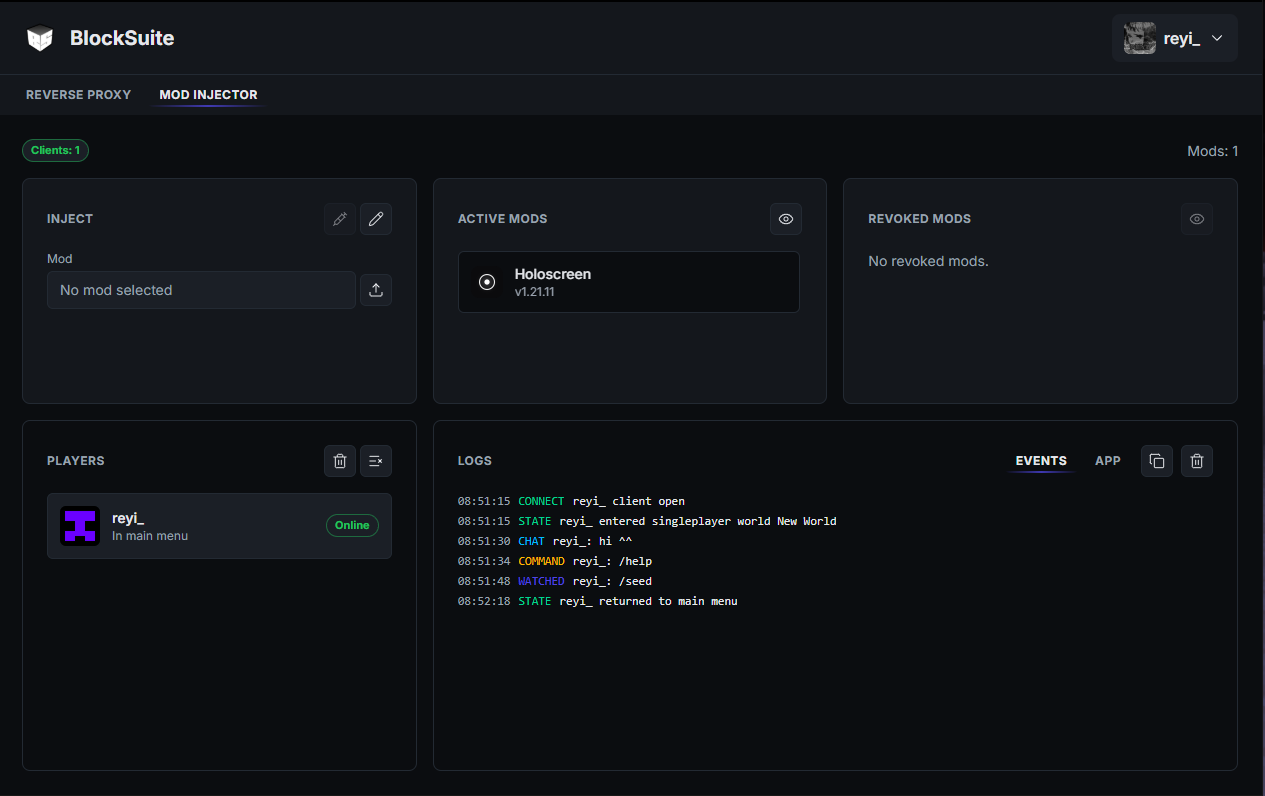
Block Suite bakes its moderation code into a mod (a "carrier" mod) that your players install like any other. Once it loads, it connects back to your Block Suite app over a secure channel and feeds the Live Capture record - the same feed every other module uses. Which loaders and game versions are covered is listed under Supported versions below.
Supported versions
The Mod Injector runs on Fabric (Minecraft 1.14.3 and up) and on Ornithe / Legacy Fabric for the older range (1.8 to 1.13.2). Every feature (capture, commands, live view, enforcement) works the same on each supported version.
All supported versions
- Ornithe / Legacy Fabric:
1.8to1.8.9·1.9to1.12.2·1.13to1.13.2 - Fabric:
1.14.3·1.14.4 - Fabric:
1.15to1.15.2·1.16to1.16.5·1.17·1.17.1 - Fabric:
1.18to1.18.2·1.19to1.19.4·1.20to1.20.6·1.21to1.21.11 - Fabric:
26.1·26.1.1·26.1.2·26.2·26.3
1.14, 1.14.1 and 1.14.2 are not supported (required Minecraft-side APIs are missing); use 1.14.3 or 1.14.4 instead.
Coming soon: NeoForge, CurseForge-distributed loaders, and pre-1.8 versions.
By default the mod stays silent until the player accepts an in-game disclosure screen that spells out what it can see and do - before they accept, nothing is captured, sent, or run. You can turn this consent screen off from Block Suite when you build the carrier; Block Suite first makes you acknowledge that running without it is your responsibility.
What it captures
Once the player has accepted, the mod streams the usual events into your feed: connects and disconnects, chat, and commands per your capture policy. It also reports the client's own context - the mods the player is running and the server list they see - so you can moderate from inside the game, not just at the proxy.
Player actions
From a player's card you can act on their client in real time:
- Send a message - a title, action bar or chat line, with MiniMessage
formatting (
<red>,<bold>, colours). - Run a chat message or command as if the player typed it.
- Move them to another server, or disconnect them.
- Lock their chat or keep the game from being closed while you look.
Live tab
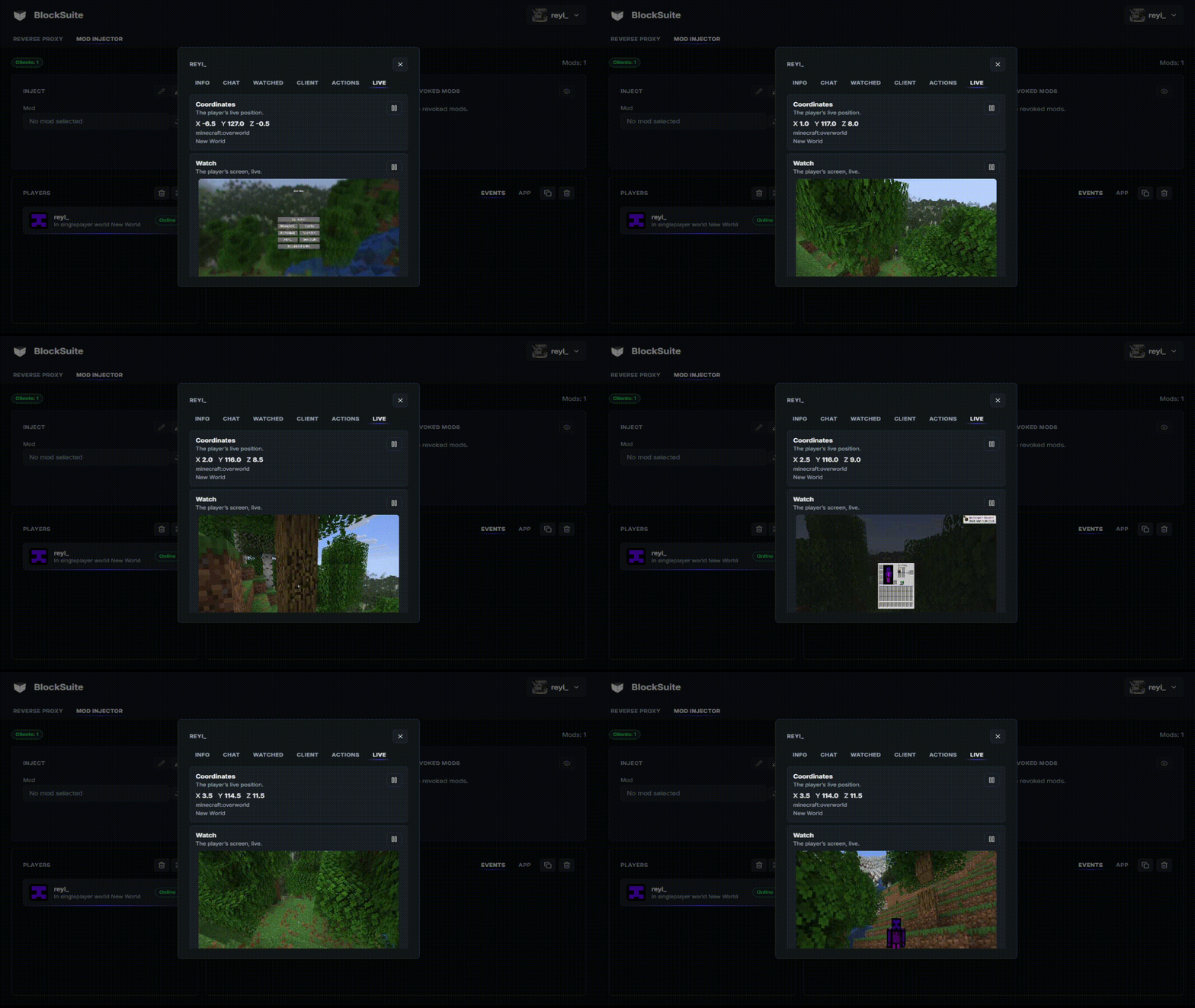
The Live tab pulls two things on demand, only while you are watching, and both sit behind the same consent gate as the rest of capture:
- Coordinates - the player's position and dimension, approximated to the nearest half-block so you get a location without a pixel-perfect track.
- Screen - a low-frame-rate view of the player's game screen. Click it to open a larger 16:9 view. It streams only while the tab is open and stops on its own shortly after you stop watching.
Set it up
- Open the Mod Injector tab in the app and create a carrier mod.
- Give the built mod to your players to drop into their Fabric
modsfolder. - When a player joins and accepts the disclosure, they appear in your Live Capture feed.
You can revoke a carrier at any time from the app; a revoked mod goes silent on its next connection.